SEO Features inside CloudFunnels
Hello Folks, Today I will be telling you about the SEO and Page Optimization features of Cloudfunnels.
Watch the Video
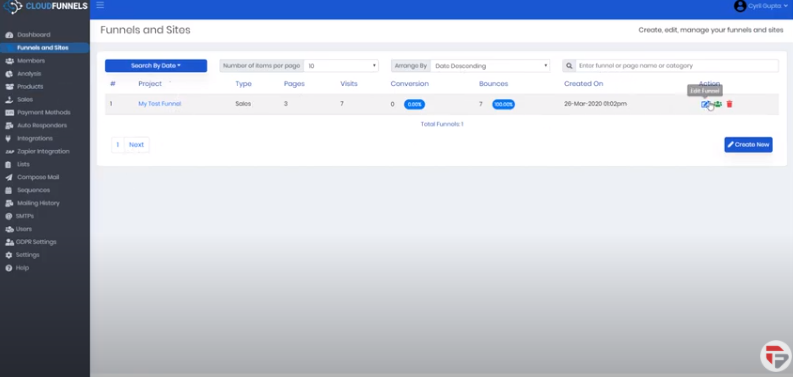
So first you need to go to your Funnels and Sites page. Click on edit and you’ll be taken to all the pages in the funnel.
If you want to add a new page click on + New Page give it a name and add it.
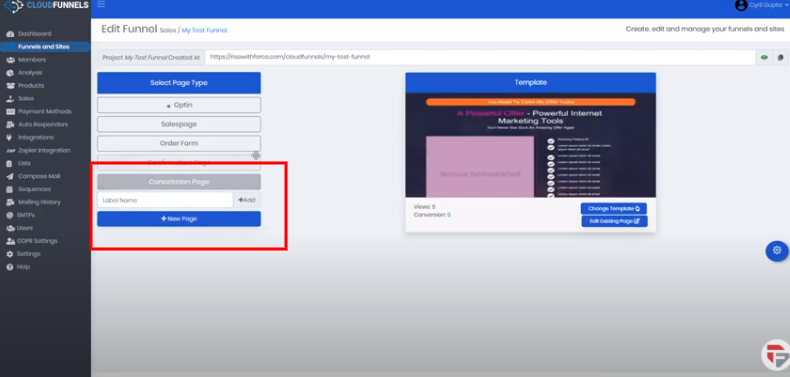
Now, if you want to put SEO Features on your existing pages you need to follow these steps.
I’ve selected my sales page, make sure there’s a little blinker going on which tells you that this is the current page.
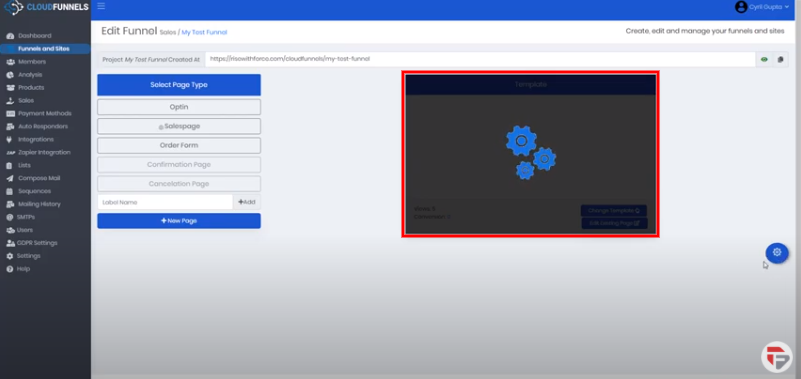
- Now click on the settings icon on the right side of the page and you will see the page settings.
- Go to edit SEO Data
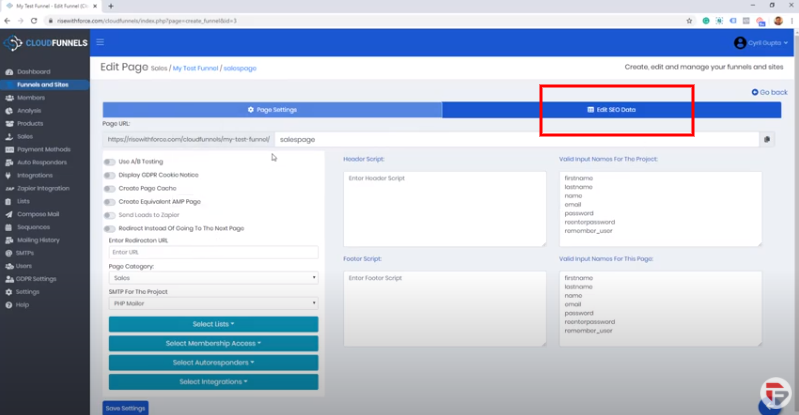
- You will see all the information that you can change inside of the page to make it more SEO Optimized.
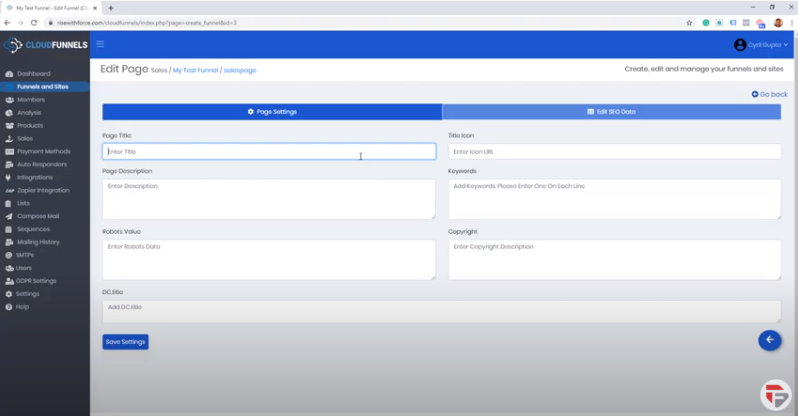
- Give page title relevant to your product
- Enter page description, it will appear below the page title in Google.com when people search and you will be found the description will appear right below the final.
- If you want to put in any Robot information, for example, this is an absurd page and you want to make sure that it’s not indexed then use this place to put in Robot information.
- You can set a custom icon and you can put a URL
- You can add as many keywords as you want about the product.
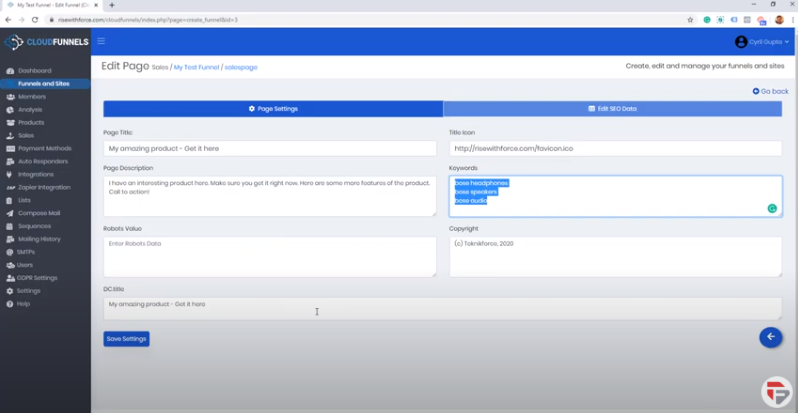
- Finally, you can put a copyright notice if you want.
- Click on the Save button.
Go back to settings, this time go to page settings. Here we have got something that is truly unique to cloudfunnels i.e, Create equivalent AMP page.
So CloudFunnels has some special powers, it can create an AMP page. AMP is Google’s mobile compatible special definition system.
That will allow you to get indexed faster on Google and Google can cash your sales page without hitting your server which makes it ultra-fast because when Google delivers a special revision of the page it will load up extra fast on people’s mobile.
That is only available on CloudFunnels right now.
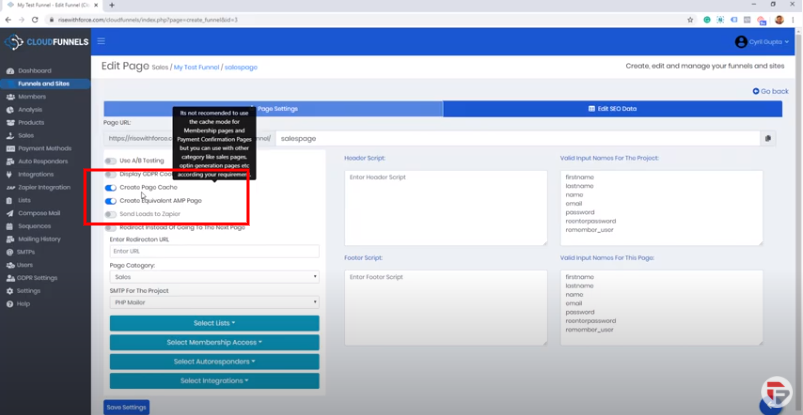
You also have Page Cache, so if you want to increase your page speed CloudFunnels has a system to cache in.
If you turn on AMP, Cache will be on by default. But if you don’t want to use AMP, you can still use Cache and you can have your page delivered at a very very fast speed.
This is again something that Google really really wants, page speed is a major function of ranking right now and if your page is faster it’s gonna rank better.